Our Sustainable Future
Connecting Students to Sustainability at UW–Madison
ROLE
UX Design Lead
Responsible for project quality end-to-end
High-fidelity responsive prototype, product pitch, and design specifications handed off for implementation.
Alya Herusasongko
Diya Gopinath
Gabrielle Czeremuga
UW Office of Sustainability (pro bono)
8 weeks
SCOPE
DELIVERED
CLIENT
TIMELINE
TEAM
UW–Madison's Office of Sustainability (OS) manages a sprawling ecosystem of resources for students—courses, student organizations, events, internships, research opportunities, and certifications. But students weren’t utilizing them.
THE PROBLEM
low engagement with their programming
missed opportunities to convert student curiosity → action
website functioned more as an archive than a tool
"I hear nothing about sustainability on campus. I didn't even know we have an Office of Sustainability."
"I don't really visit the website, I usually hear about events through the ERBN newsletter or look for course reviews on Reddit."
Consequences for OS:
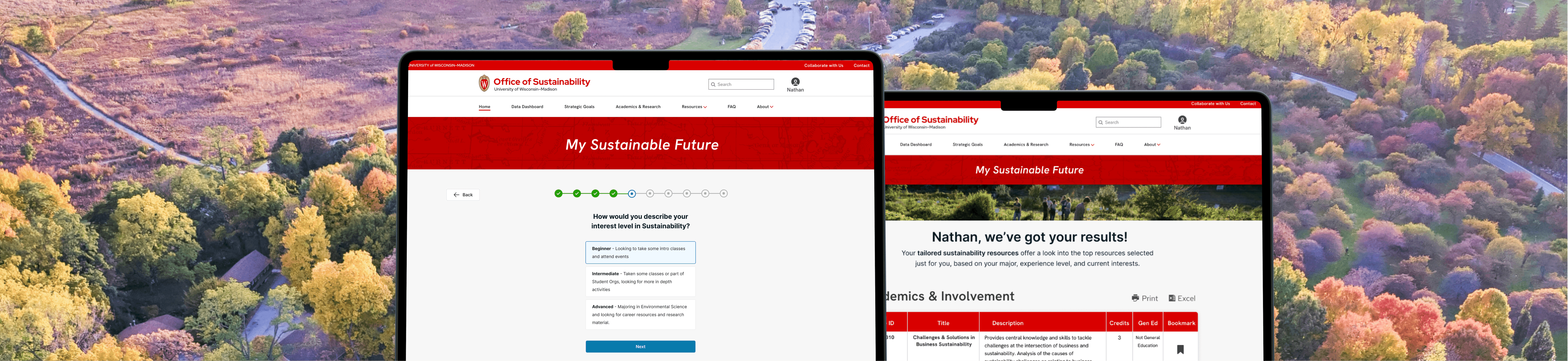
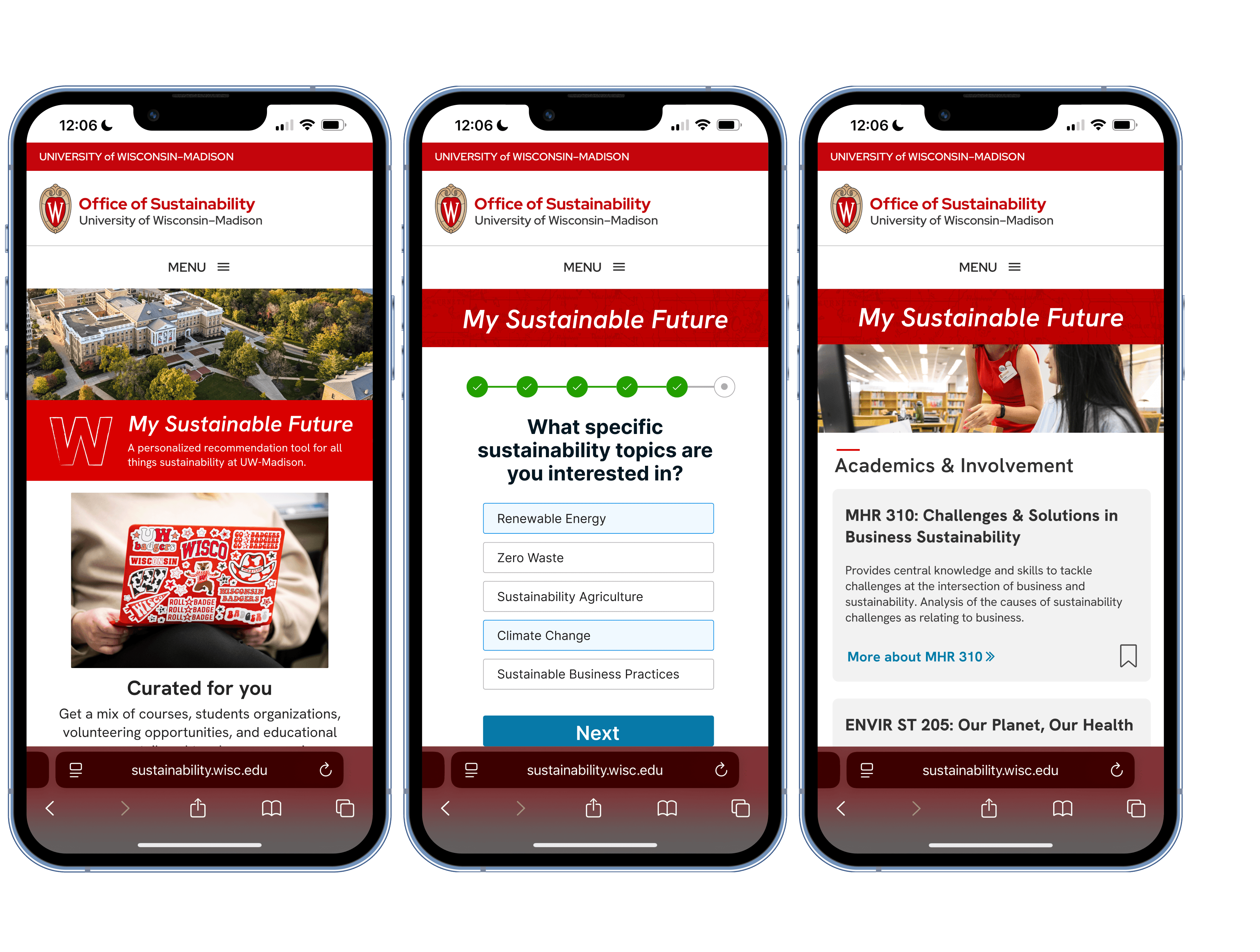
Led the design direction for a team of four, responsible for the My Sustainable Future tool—a quiz-based recommendation engine designed to personalize the sustainability experience for each student.
In practice, that meant owning the client relationship: preparing and presenting stakeholder check-ins, pitching our direction, and translating feedback into design priorities. I set our team's research strategy and process, choosing what methods we'd use, when, and why, and facilitated each activity, often teaching teammates the technique before running it.
MY ROLE
Understanding Why Motivated Students Still Weren't Engaging
RESEARCH
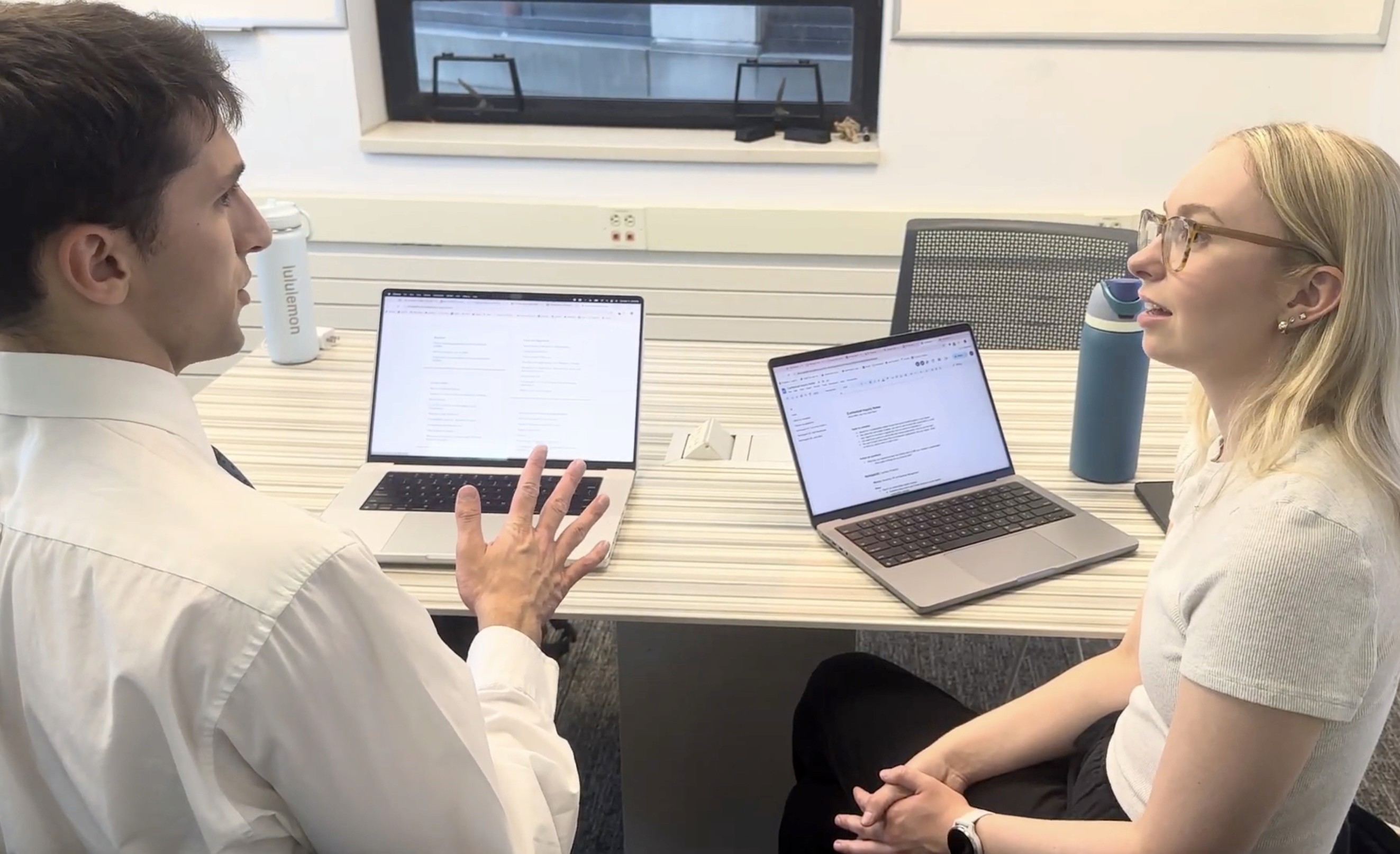
Across our team, we conducted ten user interviews
with students spanning a wide spectrum of sustainability interest—from a neurobiology major who had never heard of the Office, to an environmental studies senior who was actively involved but still didn't use the website.
The goal was to understand the behavior gap: why were even interested students bypassing the website entirely? Three patterns emerged from synthesis:
Students didn't know where to start.
01
The website offered dozens of entry points—strategic goals, data dashboards, academic programs, community resources—with no clear path based on who you were or what you wanted.
Categories like "Strategic Goals" and "Data Dashboard" made sense to Office staff but meant nothing to a student looking for a sustainability course.
The info architecture reflected OS’s internal structure, not the student's mental model.
02
Every student we interviewed found sustainability opportunities through friends, club newsletters, or Reddit, never through the OfS site. The website was a dead end.
Discovery happened through peers.
03
Findings
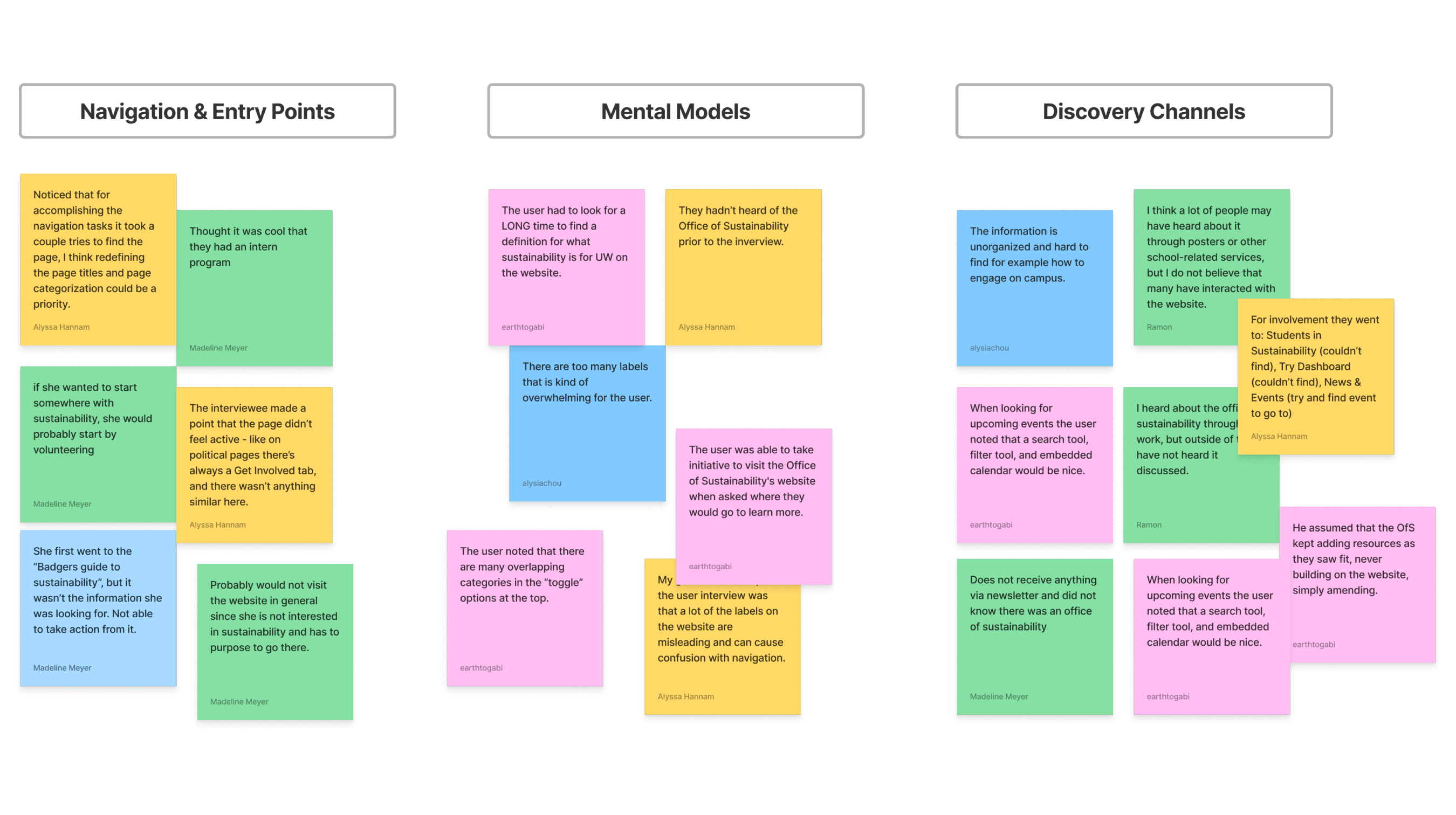
they drew a line between content that was educational ("help me learn") and content that was action-oriented ("help me do something").
Mapping the Gap Between the Organization and the User
INFORMATION ARCHITECTURE
OS site organized content by topic
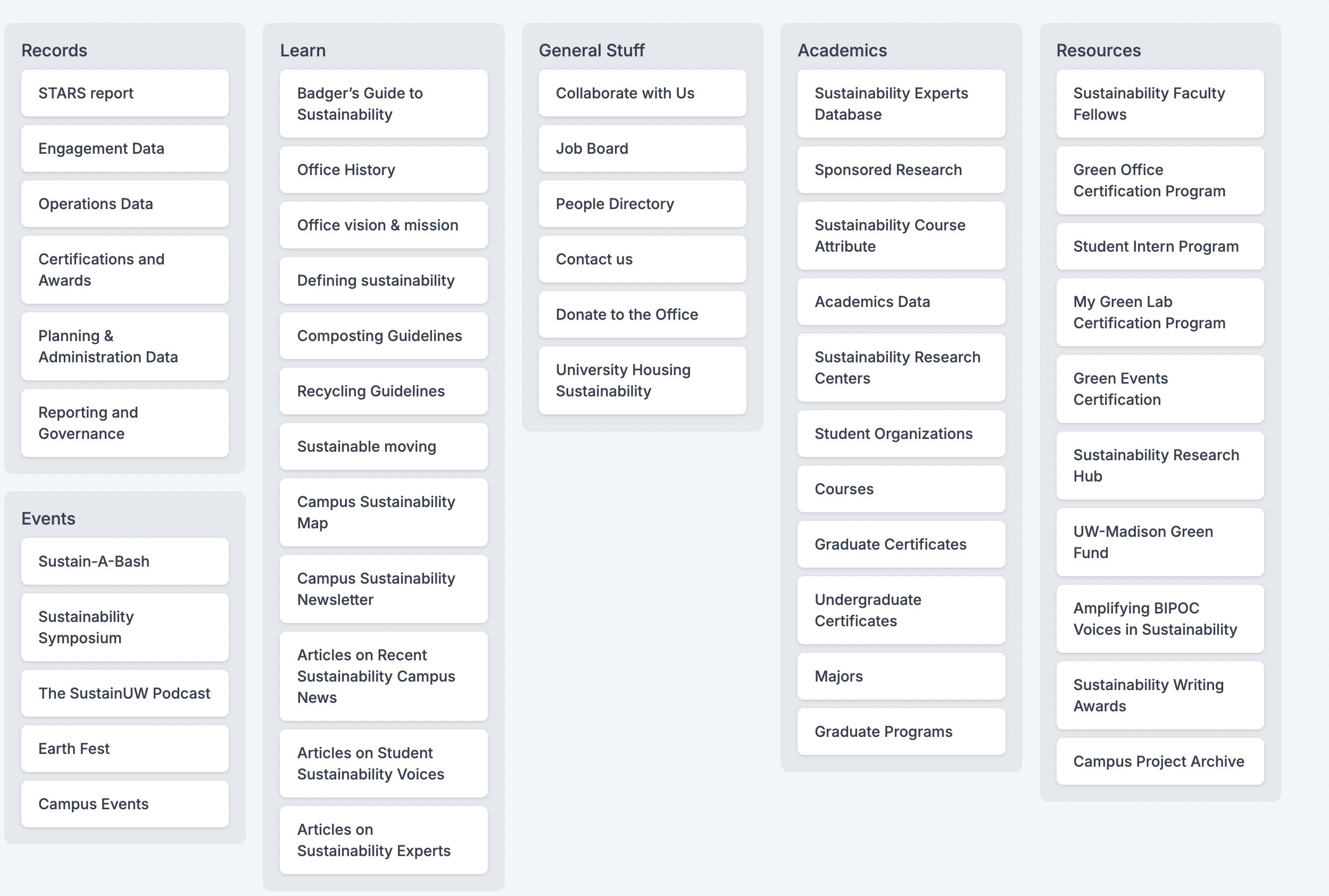
Students organized content by intent.
The mix-match
Before we could design a new tool, we needed to understand the full scope of what the OfS website actually contained, and how students expected that information to be organized.
(research, academics, community practices)
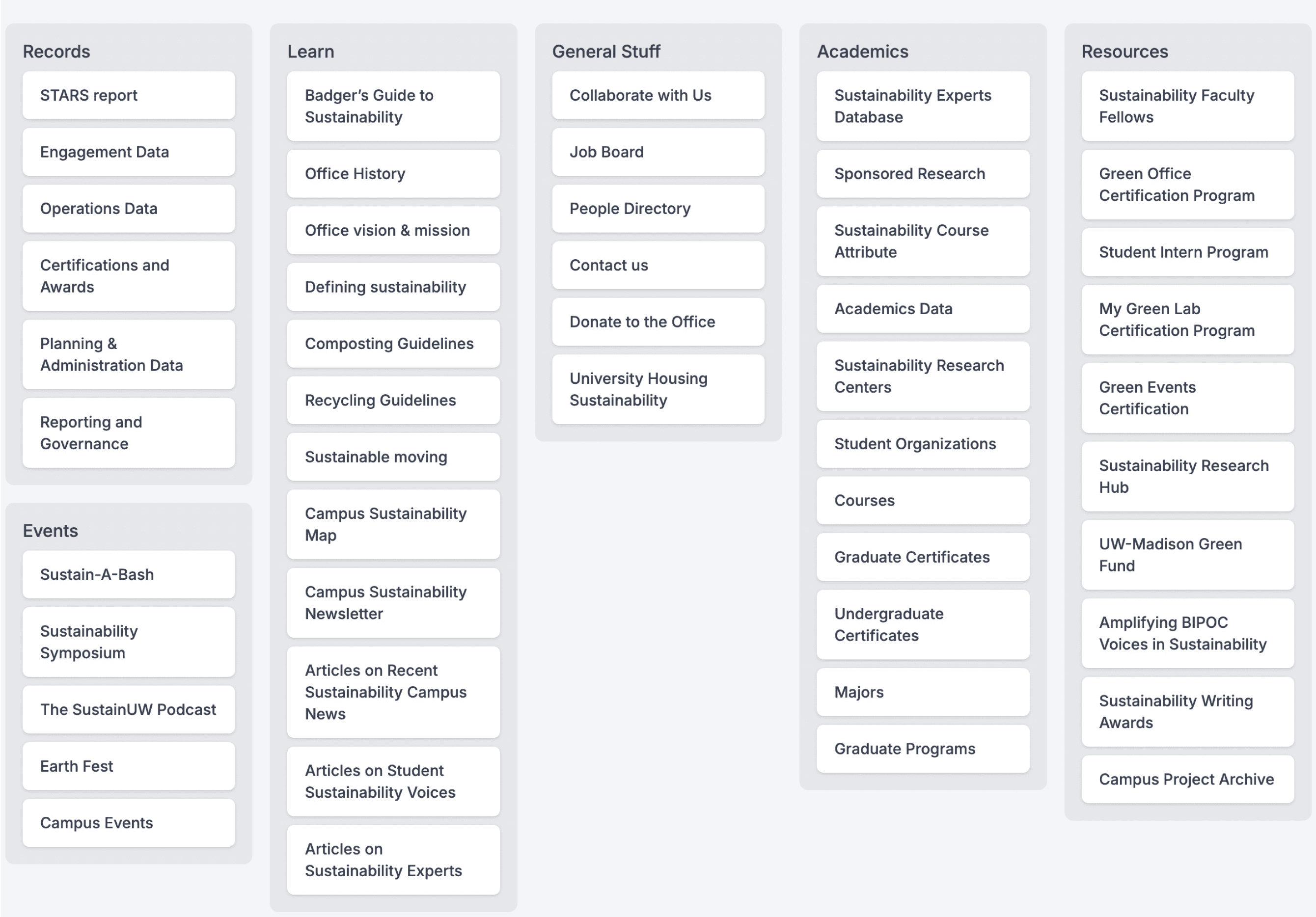
01 — Content inventory
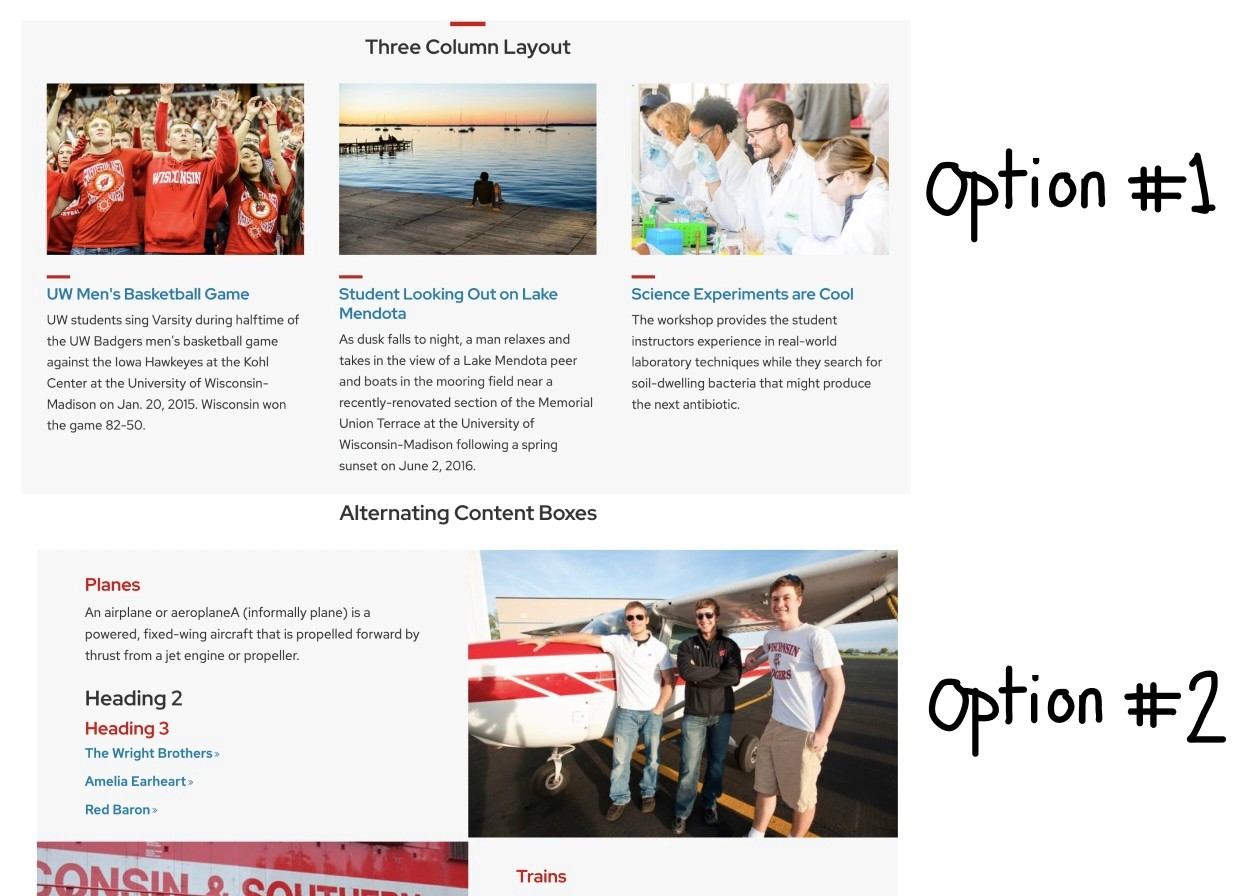
After conducting a full audit of every page, link, and resource on the OS website, it revealed that the site housed hundreds of resources across overlapping categories with no clear hierarchy for any single user type.
02 — Card sort
Using the our site audit, we synthesized content categories and ran card sorts to understand how students naturally grouped sustainability-related information.
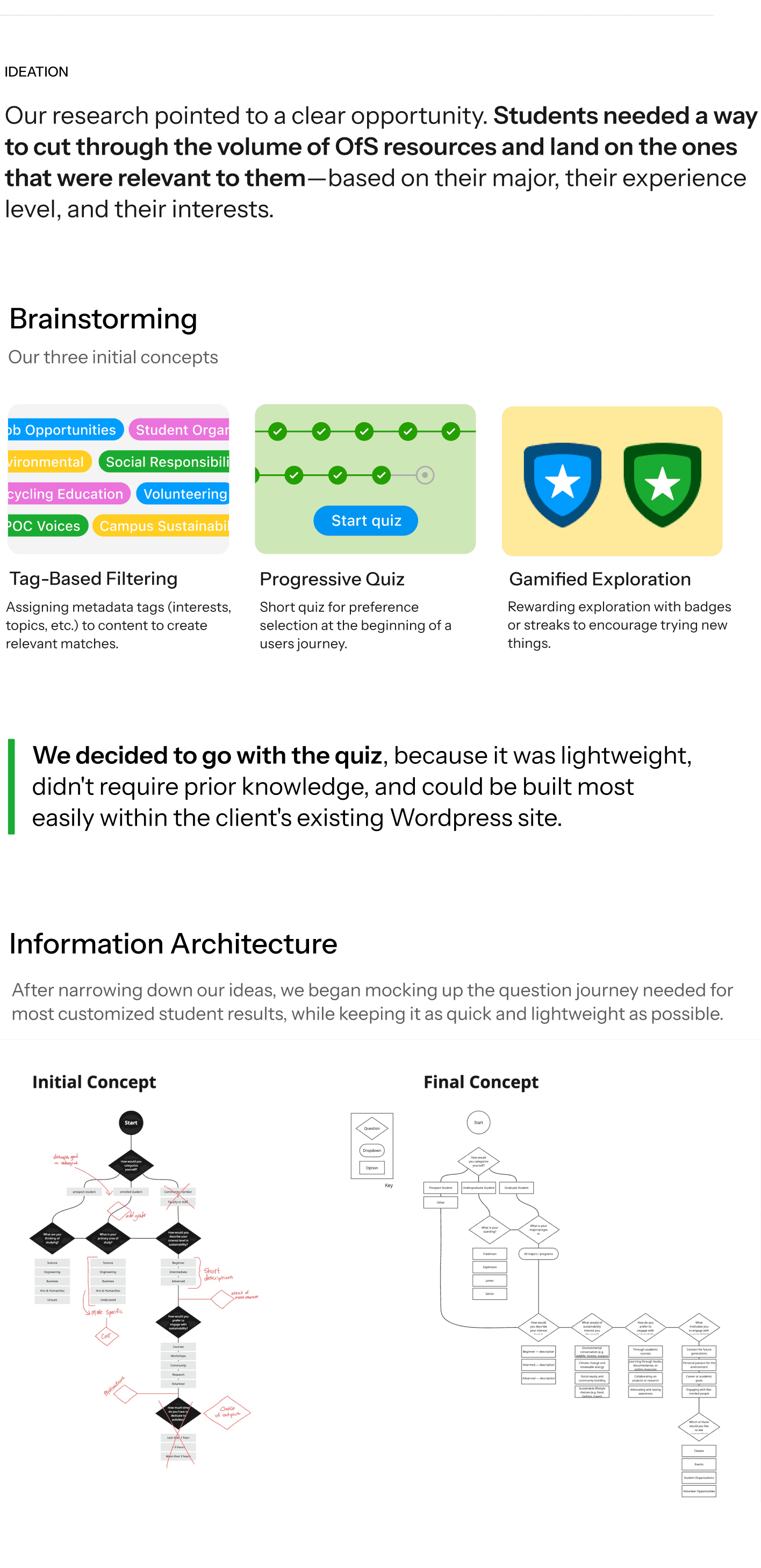
Decision: How to Present Recommendations
DIVERGE
After the quiz, the tool needed to show students their results. We had two options, and they represented fundamentally different philosophies about how to handle dense, personalized information.
Option 1:
Filtered Recommendations
Option 2:
Summarized Recommendations
A single page showing all results in sortable, filterable tables, modeled after the OfS's existing course search tool. This approach prioritized completeness and user control.
A dashboard-style overview showing bite-sized cards for each category with the option to expand into full detail pages. This approach prioritized scannability and reduced cognitive load.
This progressive disclosure pattern solved both the problems simultaneously. It reduced the cognitive load of the initial results view (addressing the core usability issue our research surfaced) while preserving the depth and filtering power that more advanced users needed.
From a business perspective, it also gave the OfS a mechanism to track which recommendation categories students engaged with most, data that could inform future resource investment and programming decision.
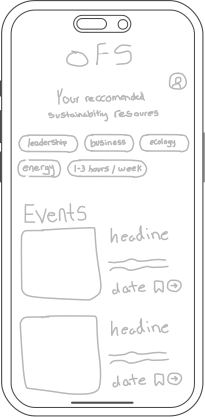
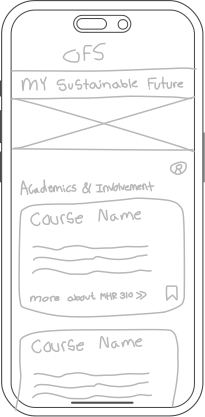
Top 3 recommendations

Ability to expand more
We chose to combine them.
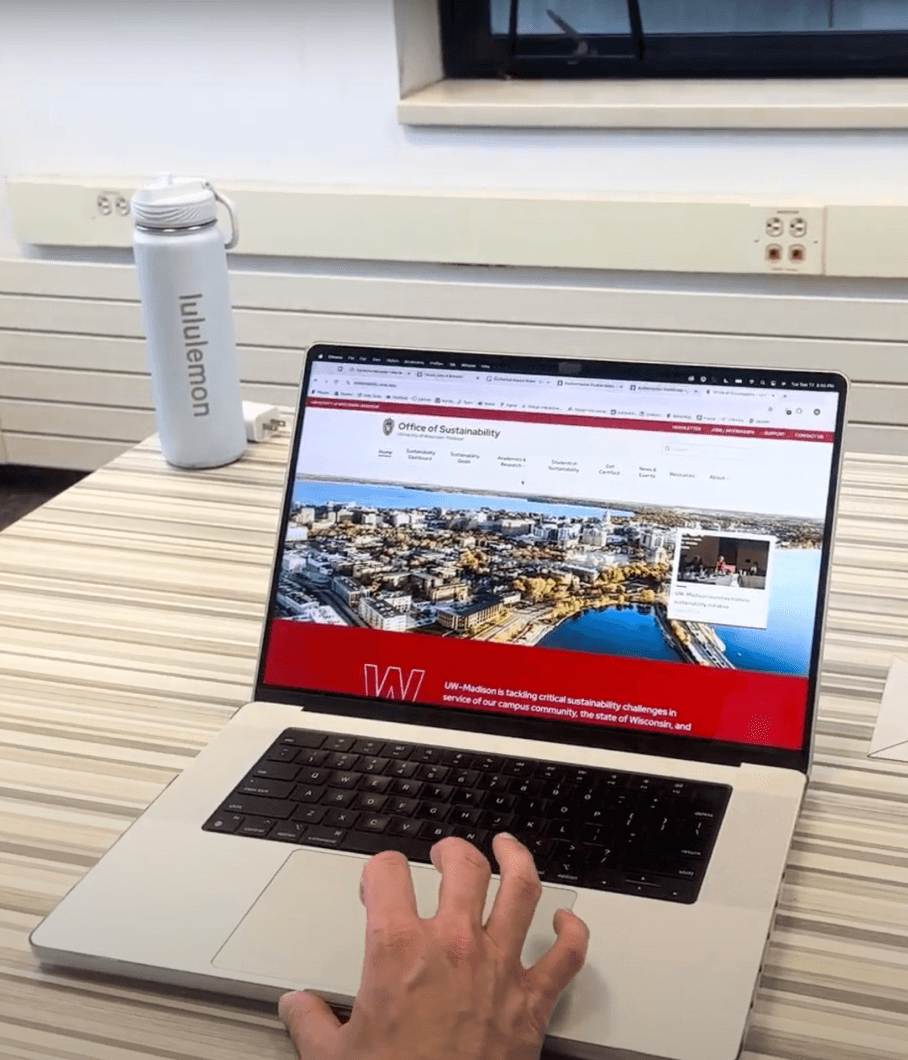
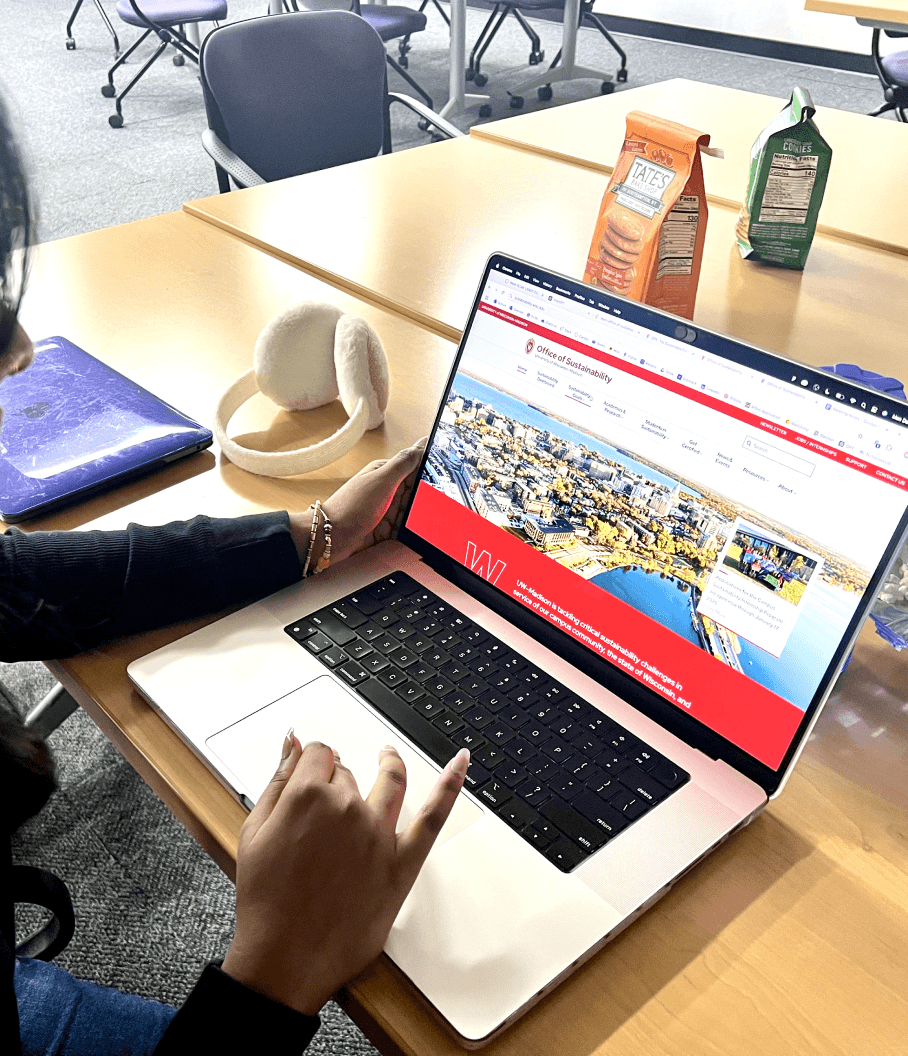
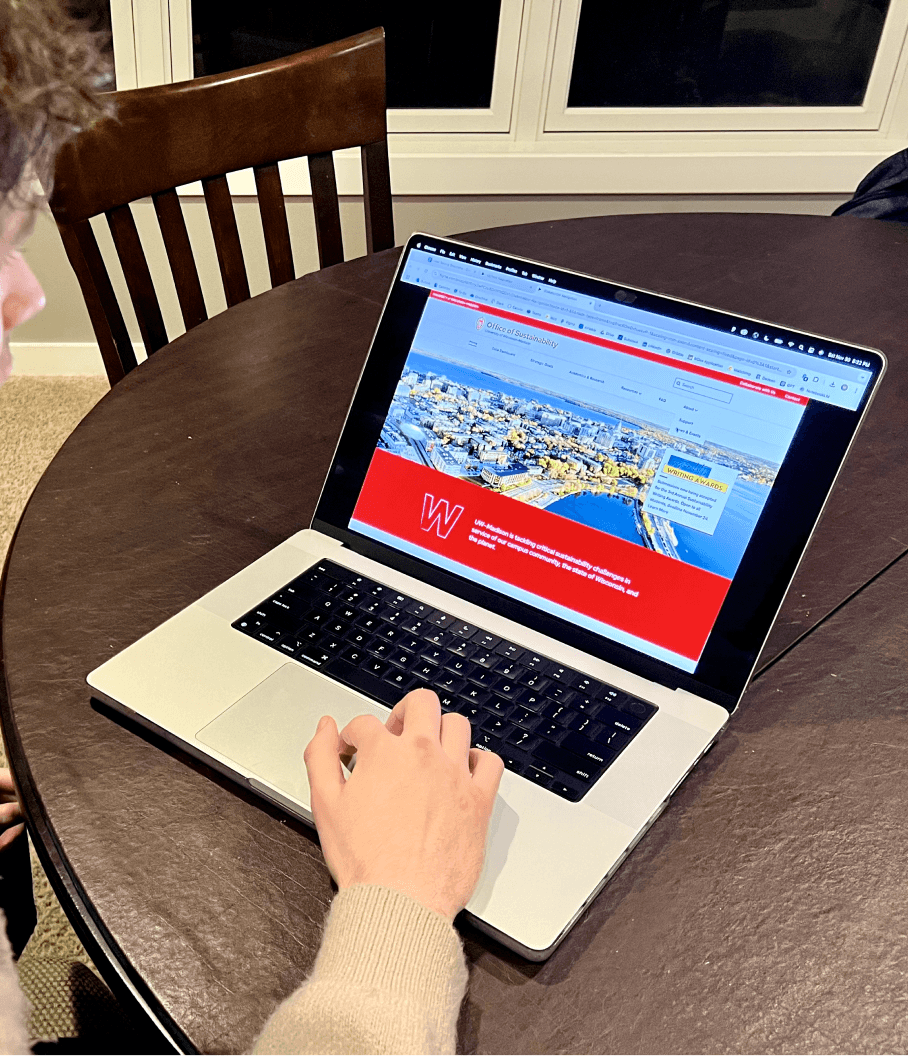
USER TESTING
The primary goal was to evaluate two things: whether the quiz itself felt worth completing, and whether the output gave students enough to act on.
The primary goal was to evaluate two things: whether the quiz itself felt worth completing, and whether the output gave students enough to act on.
7 Students, mixed majors & interest levels
7 Students, mixed majors & interest levels
Task to take quiz and explore resources.
Task to take quiz and explore resources.
20 minute sessions
20 minute sessions


Implementation
Implementation
100% users felt the questions were easy to understand
Strongly Agree
Neutral
Disagree/Strongly Disagree
Agree
40%
60%
0%
0%
100% users felt the questions were easy to understand
Strongly Agree
Neutral
Disagree/Strongly Disagree
Agree
40%
60%
0%
0%
85% users liked the amount of previewed materials
Strongly Agree
Neutral
Disagree/Strongly Disagree
Agree
80%
5%
15%
0%
85% users liked the amount of previewed materials
Strongly Agree
Neutral
Disagree/Strongly Disagree
Agree
80%
5%
15%
0%
Extended quiz length to improve personalization
(aim: ~2 minutes)
Extended quiz length to improve personalization
(aim: ~2 minutes)
Added a profile feature to bookmark results and save for later
Added a profile feature to bookmark results and save for later
Introduced options to export results (print or Excel)
Introduced options to export results (print or Excel)


users appreciated the quiz’s simplicity but were open to spending more time for better results.
users appreciated the quiz’s simplicity but were open to spending more time for better results.
users want a way to save or revisit favorite resources.
users want a way to save or revisit favorite resources.
Seeing repeat or familiar resources felt redundant.
Seeing repeat or familiar resources felt redundant.
earthtogabi
earthtogabi
Alyssa Hannam
Alyssa Hannam
Madeline Meyer
Insights
Madeline Meyer
FINAL DESIGN
FINAL DESIGN
FINAL DESIGN
The primary goal was to evaluate two things: whether the quiz itself felt worth completing, and whether the output gave students enough to act on.
The primary goal was to evaluate two things: whether the quiz itself felt worth completing, and whether the output gave students enough to act on.
The primary goal was to evaluate two things: whether the quiz itself felt worth completing, and whether the output gave students enough to act on.
01
02
03
Landing page
Quiz flow
Results overview
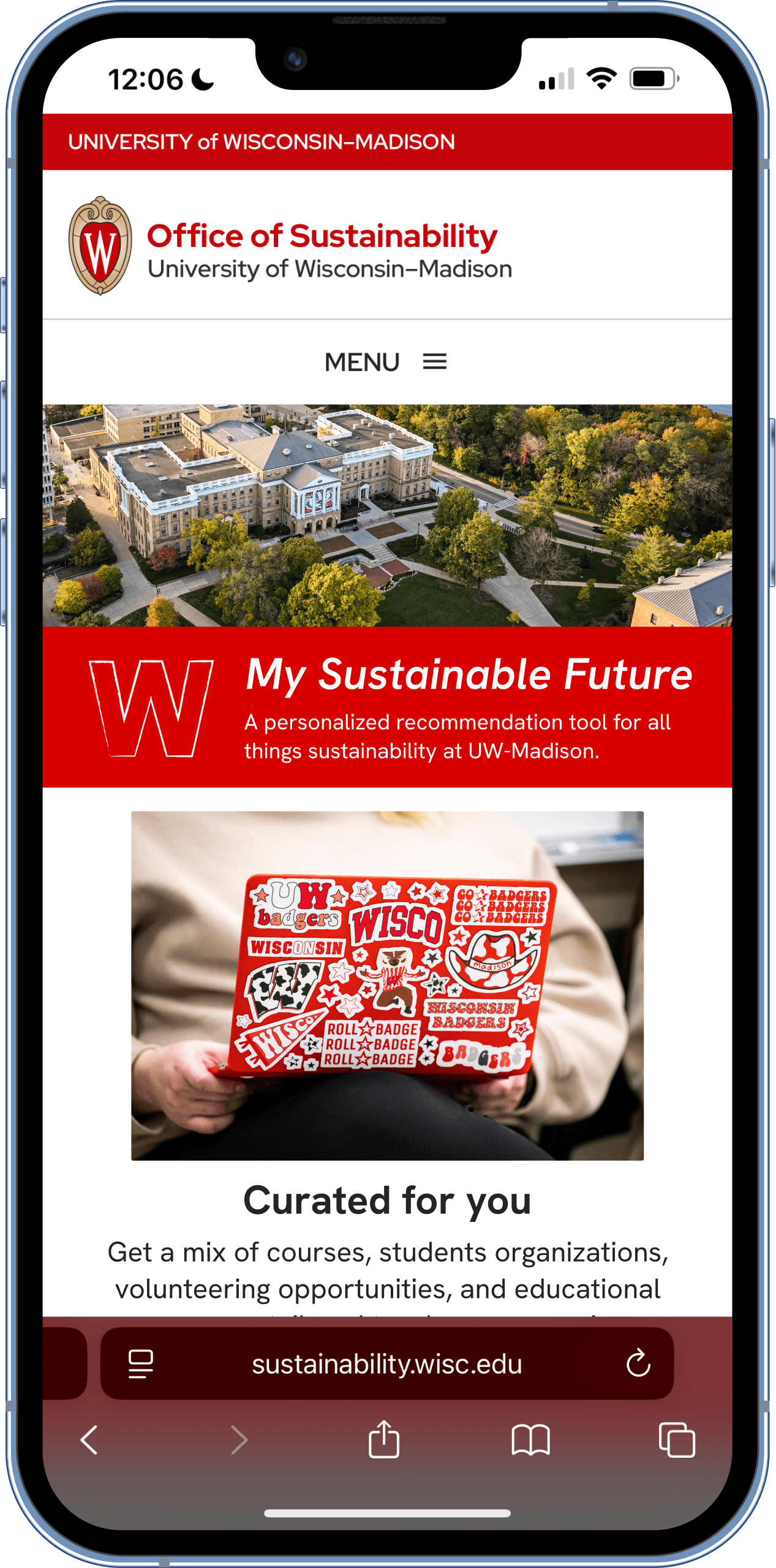
Introduces the tool with a three-step value proposition: Select Answers → Review Results → Take Action. And two entry points: "Start Quiz" for new users and "Login to view saved recommendations" for returning users.
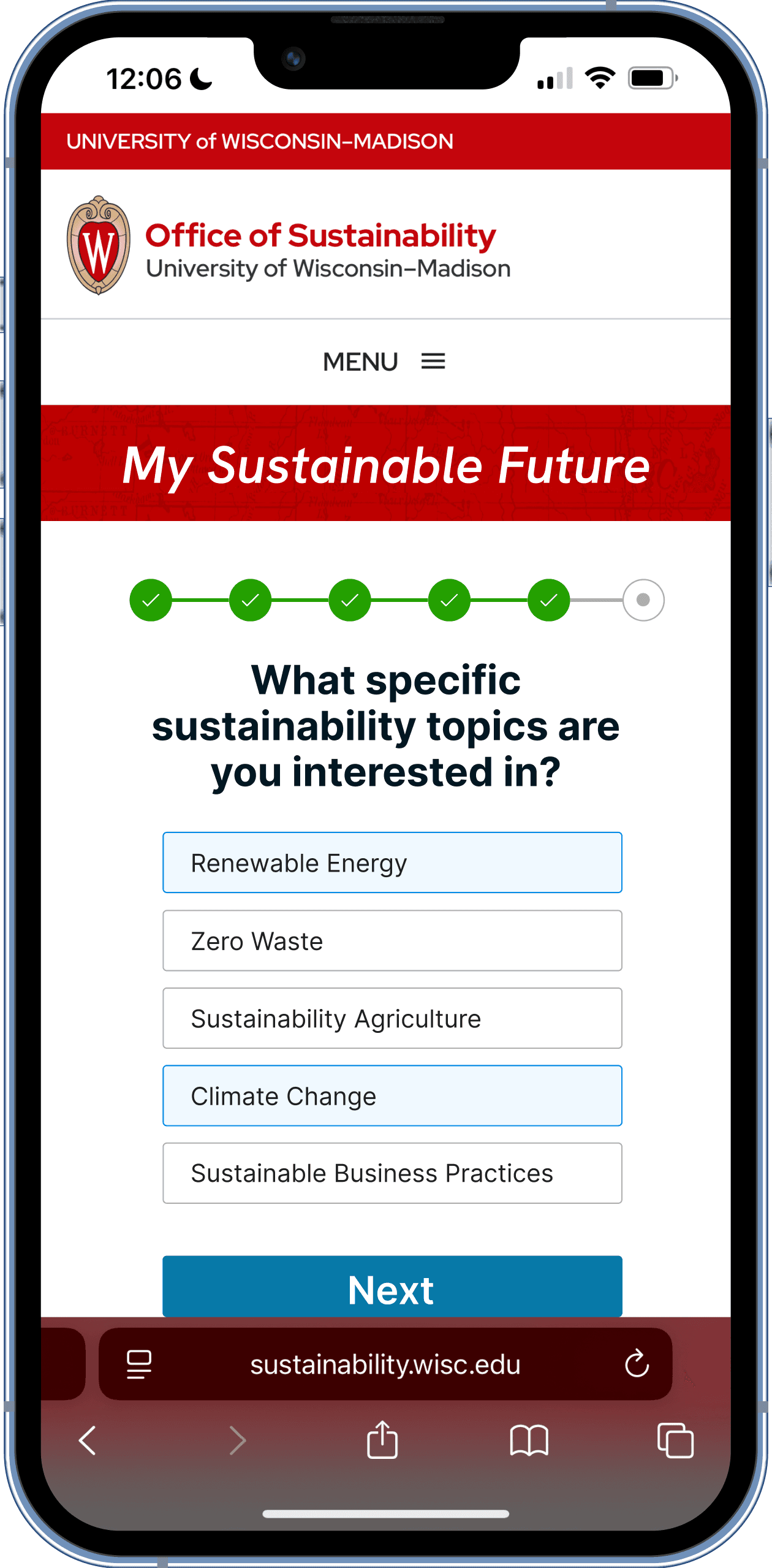
Eight questions delivered one at a time with a progress indicator, back navigation, and clear answer descriptions. Questions cover user type, year, major, sustainability interest level, preferred engagement type, time commitment, and specific topic interests.
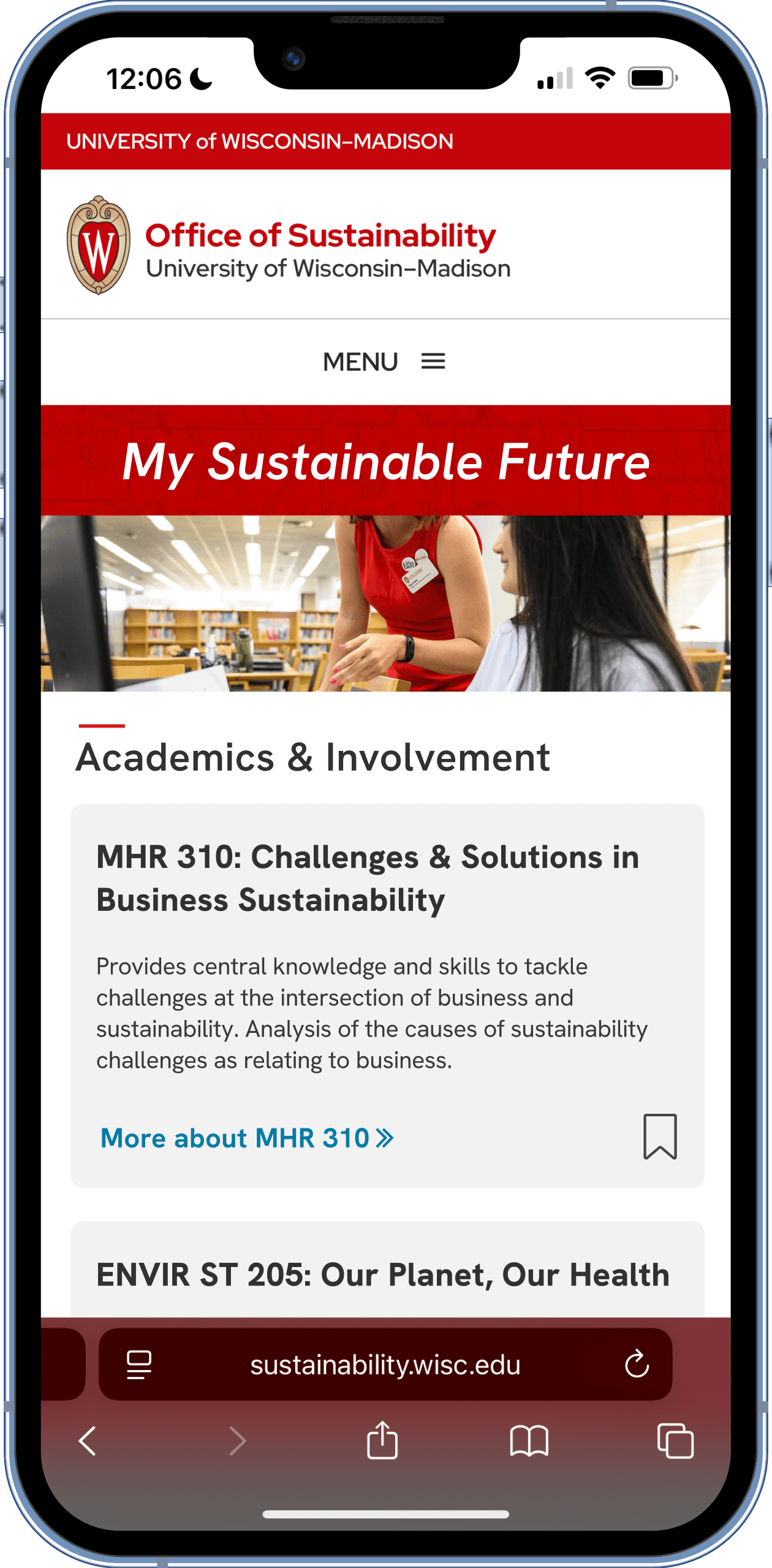
A personalized summary page organized by the categories students told us mattered most: Academics & Involvement (course table with ID, title, description, credits, gen-ed status, and bookmark), Student Organizations (card-based with descriptions and direct links), Events (time-sensitive cards with dates and "Get Involved" CTAs).
OUTCOME & REFLECTION
We delivered a high-fidelity responsive prototype, product pitch, and design specifications to the Office of Sustainability at the end of the eight-week project. The prototype was positioned for implementation pending development resources.
What would I do differently next time?
Since working on this project, I have learned more about the value of framing the initial research more explicitly around the client’s engagement KPIs from the start. In this case, it would have been student event attendance, course enrollment in sustainability offerings, org membership growth.
Tying our design decisions to those metrics earlier would have made the handoff more actionable and given the Office a clearer framework for measuring the tool's impact post-launch.
Learnings
Learnings
Reuse & repurpose components to make for easier user navigation
Talk to everyone to navigate ambiguity
Context is key in understanding the bigger picture